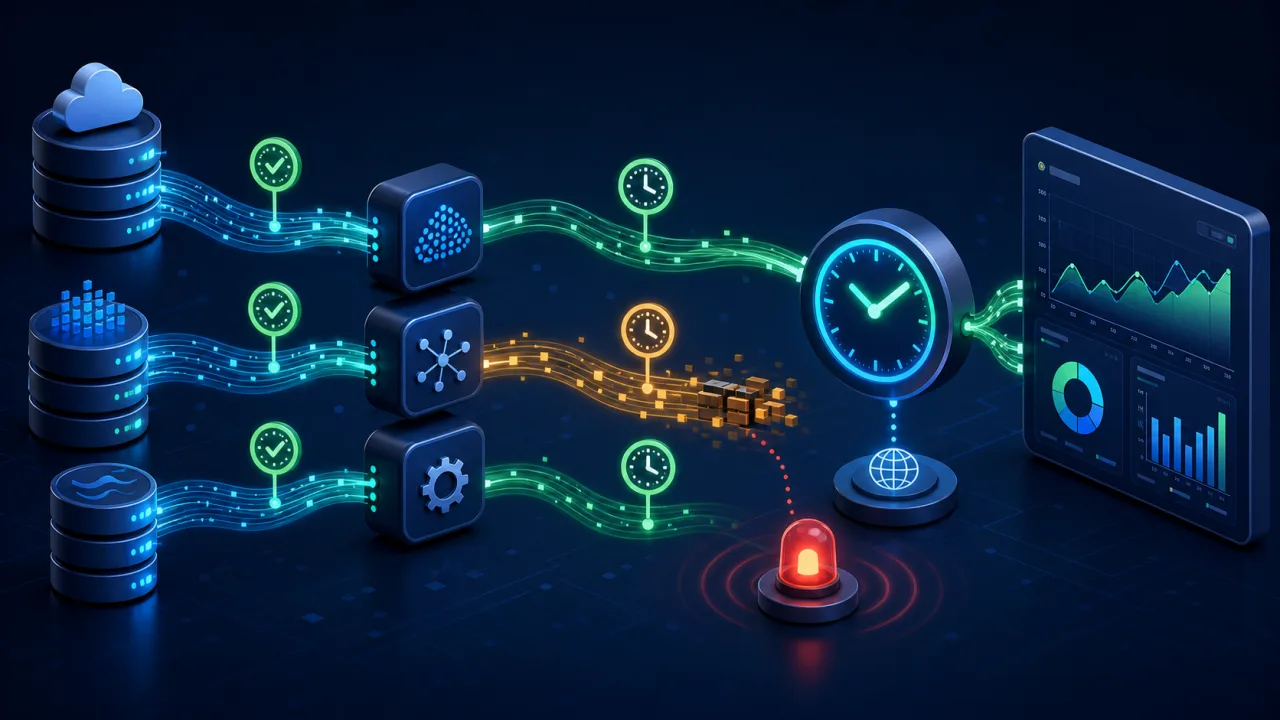
A data pipeline can finish without delivering current data. This guide explains how to use a web cron job to verify freshness across imports, transformations, reports, and API feeds so stale dashboards are detected before they influence decisions.
Freshness monitoring asks whether the newest trustworthy data is available when users expect it. It complements scheduled API health checks and queue backlog monitoring without duplicating either.
Define freshness from the consumer's deadline
Start with the moment a consumer needs updated data. A warehouse may ingest events continuously, a finance report may be due at 07:00 UTC, and a partner catalog may refresh every four hours. Record the expected cadence, allowed delay, business calendar, and timezone for each output.
Use warning and critical budgets, plus a recovery threshold safely below the warning boundary. For an hourly feed, warning at 75 minutes and critical at 120 minutes may be reasonable. The correct limits come from user impact, not an arbitrary dashboard default.
Measure the timestamp that proves useful work
A job start time does not prove freshness, and neither does a successful scheduler response. The strongest timestamp belongs to the newest validated record visible in the consumer-facing destination. When that query is expensive, write a small completion marker only after validation and atomic promotion succeed.
- Source watermark: newest source event eligible for processing.
- Ingestion watermark: newest event durably stored.
- Transformation watermark: newest event included in derived tables.
- Publication watermark: newest version visible to users or downstream clients.
Comparing these watermarks reveals where lag is accumulating. Current ingestion with old publication points to transformation or release trouble rather than a source outage.
Expose a safe freshness endpoint
Create a read-only endpoint such as /ops/data-freshness that returns aggregated timestamps and calculated lag. Do not expose customer rows, query text, credentials, internal hostnames, or raw exceptions. Protect it with HTTPS and a scoped credential as described in securing web cron endpoints.
{
  "status": "warning",
  "dataset": "daily_sales",
  "expected_by": "2026-08-14T07:00:00Z",
  "published_through": "2026-08-14T05:42:00Z",
  "lag_seconds": 4680,
  "validation": "passed"
}
Distinguish “no new data was expected” from “the source stopped sending data” by including an explicit schedule or source-heartbeat signal.
Schedule checks around availability
For continuously updated datasets, run every few minutes. For a daily report, check shortly after its delivery promise and repeat until recovery. Split large inventories into bounded groups so one request remains fast and observable.
Store schedules in UTC and translate business deadlines deliberately. The guidance in scheduling cron jobs across time zones prevents daylight-saving changes from creating false incidents.
Combine age with completeness and validity
A fresh timestamp can hide an incomplete load. Monitor expected row ranges, partition counts, schema compatibility, null rates, and domain totals alongside age. Compare with a recent baseline rather than demanding exact volume when traffic varies.
Publish a new dataset only after validation. With staging tables, use an atomic swap so users see either the previous complete version or the new complete version, never a partial load. Report which version is active and why a candidate was rejected.
Classify failures for faster response
- Late: progress continues beyond the warning budget.
- Stuck: the watermark does not advance across consecutive checks.
- Silent source: an expected heartbeat or partition never arrives.
- Invalid: a new version fails quality checks.
- Publication failure: processing completes but consumers still see the old version.
These classes need different owners and runbooks. Alerts should include the dataset, current and expected watermarks, lag, last good version, failed stage, and dashboard link.
Prevent alert storms
Use one incident fingerprint per dataset and failure class. Require consecutive breaches for noisy feeds, but alert immediately when a hard reporting deadline is missed. Send one opening notification, controlled reminders, escalation at the critical budget, and a recovery message after the watermark advances safely.
A short lock prevents overlapping monitors from issuing duplicate alerts. The lease pattern in preventing overlapping cron jobs works well.
Use a safe recovery runbook
- Confirm the consumer-facing watermark and visible user impact.
- Compare source, ingestion, transformation, and publication watermarks.
- Check deployments, credentials, quotas, schemas, and downstream latency.
- Restart only an idempotent failed stage.
- Backfill a bounded range and validate before promotion.
- Verify advancement across several checks and confirm quality still passes.
Do not let the monitor automatically delete partitions, replay payments, overwrite a good dataset, or launch an unbounded backfill. Detection may be automatic; destructive recovery needs explicit safeguards.
Test failure and recovery
In staging, delay one partition, publish an incomplete candidate, break a schema, and stop the source heartbeat. Confirm each scenario opens the right incident and routes to the right owner. Restore the pipeline and ensure recovery requires both freshness and validation.
Also test holidays, weekends, daylight-saving boundaries, empty-but-valid datasets, monitor timeouts, and malformed responses. Follow testing web cron jobs before production.
Freshness monitoring checklist
- Define consumer deadlines, calendars, and lag budgets.
- Measure publication watermarks rather than execution time.
- Expose only safe aggregated state through authentication.
- Validate completeness and quality before declaring freshness.
- Classify late, stuck, silent, invalid, and publication failures.
- Deduplicate alerts and verify recovery over multiple checks.
A web cron job provides an independent view of delivery. Checking the newest validated version where users consume it catches pipelines that are technically running but operationally stale.