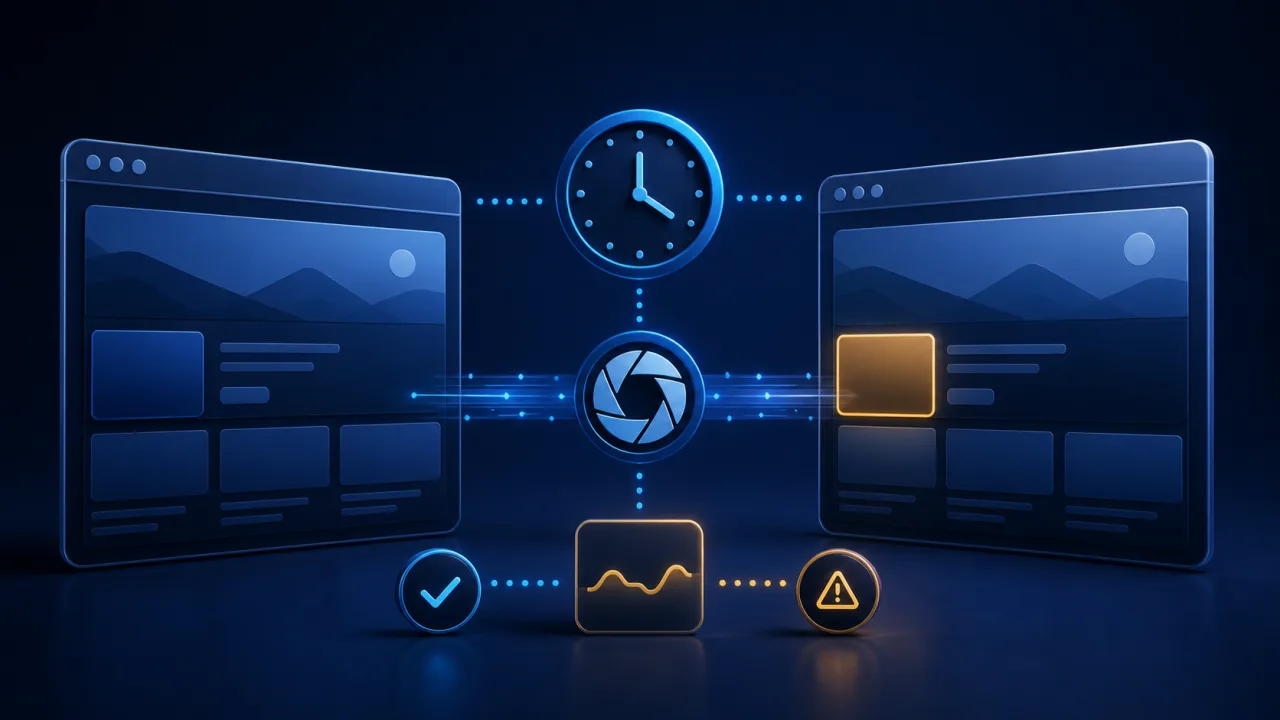
Visual bugs often reach production without breaking an endpoint. A button can slide below the fold, a banner can cover navigation, or a stylesheet can fail while uptime checks still report success. Scheduled website screenshot monitoring adds a visual safety net: a web cron job triggers a capture worker, compares the new image with an approved baseline, and alerts the team only when a meaningful change appears.
Choose pages that represent real risk
Start with revenue, sign-up, login, checkout, pricing, and campaign pages. Include one representative URL for each reusable template rather than capturing every page. Rank targets by business impact and change frequency so the most important journeys run more often.
Keep the cron endpoint small
Your scheduled URL should validate the request, enqueue a capture batch, and return quickly. A worker can then open pages, save images, calculate differences, and send alerts. This design avoids request timeouts and makes failures easier to retry. Protect the trigger with the controls in our guide to secure web cron endpoints.
Standardize the capture environment
Visual comparisons are reliable only when browser version, fonts, locale, time zone, color profile, and device scale stay consistent. Run captures in a pinned container or managed browser image. Record the environment version beside every baseline so a browser upgrade is an intentional migration rather than unexplained noise.
Define useful viewports
Use a small matrix that reflects actual traffic: one desktop viewport and one or two mobile widths are usually enough. Capture the full page only when long-page layout matters; viewport images are faster and easier to review. Keep the same dimensions for baseline and comparison images.
Wait for a stable page
Do not rely on an arbitrary delay alone. Wait for the main content marker, network quiet, fonts, and critical images. Disable animations and transitions before capture. If a page legitimately streams data, define a maximum wait and capture a documented stable state.
Handle authentication without exposing secrets
For private pages, let the capture service use a dedicated least-privilege account or a short-lived session created by your backend. Never place passwords or session tokens in the cron URL, screenshot filename, logs, or alert payload.
Create and approve a baseline
The first successful capture should be a review candidate, not an automatic truth. Confirm that consent banners, personalization, and test data are in the expected state. Store the approved baseline with its URL, viewport, environment version, and approval date.
Mask dynamic regions carefully
Clocks, rotating ads, stock counts, maps, and personalized recommendations can generate constant noise. Mask only the smallest unstable regions, or replace their data in the test environment. Large masks can hide genuine regressions, so review them whenever the page changes.
Use perceptual comparison
Pixel-perfect differences can flag anti-aliasing that people cannot see. A perceptual algorithm is better for most sites because it groups nearby changes and measures their visual weight. Save both the difference score and a highlighted diff image for reviewers.
Set thresholds by component
A one-size threshold is rarely useful. Navigation, checkout controls, and legal notices deserve strict thresholds, while editorial image areas can tolerate more variation. Combine the percentage of changed pixels with the size and location of the largest changed region.
Schedule by change risk
Run critical pages after deployments and on a regular cadence. Less volatile pages may need only daily checks. Use clear cron expression examples and keep the schedule in version-controlled configuration so reviewers can understand why each target runs.
Prevent overlapping batches
A slow capture run must not collide with the next one. Use a distributed lock or idempotency key per batch and expire abandoned locks safely. The patterns in avoiding overlapping cron jobs apply directly to screenshot workers.
Retry transient failures selectively
Retry browser crashes, temporary DNS errors, and short network failures with exponential backoff and jitter. Do not retry invalid URLs or persistent authentication failures indefinitely. See our retry strategy guide for practical limits.
Send reviewable alerts
An alert should include the page, viewport, baseline, current capture, diff overlay, score, and run identifier. Link to the deployment that preceded the change when possible. Group related pages into one incident so teams are not flooded by the same broken header.
Plan storage, privacy, and retention
Screenshots can contain customer names, account balances, or private URLs. Capture sanitized test data where possible, encrypt stored images, restrict access, and delete artifacts on a written retention schedule. Log access to sensitive captures.
Monitor the monitoring system
Track queue depth, run duration, browser-launch failures, skipped targets, and time since the last successful batch. A silent capture worker creates false confidence. Apply the same principles used for reliable cron monitoring.
Test before widening coverage
Create deliberate layout changes in staging and verify that the system catches them. Also test approved content updates, animation disabling, masked regions, authentication expiry, duplicate triggers, and alert deduplication. Our guide to testing web cron jobs safely provides a useful release checklist.
Launch with a focused checklist
- Choose high-risk pages and realistic viewports.
- Pin the browser environment and stable wait conditions.
- Approve baselines and document every mask.
- Queue work, prevent overlap, and retry only transient faults.
- Protect screenshots with access controls and retention rules.
- Monitor the worker and review alert quality monthly.
Screenshot monitoring works best as a precise change detector, not a gallery of endless captures. A disciplined baseline, predictable browser environment, and carefully scheduled web cron job can reveal visual regressions before customers do.